BooshDESIGN features
Draw the page.
Get the code you drew
Every control is bound to a token from your globals.css. There is no field to type an arbitrary value into, so nothing you draw can fail to be valid CSS, which is why there is no export step.
The canvas is a real browser
Not a preview of the design. The design.
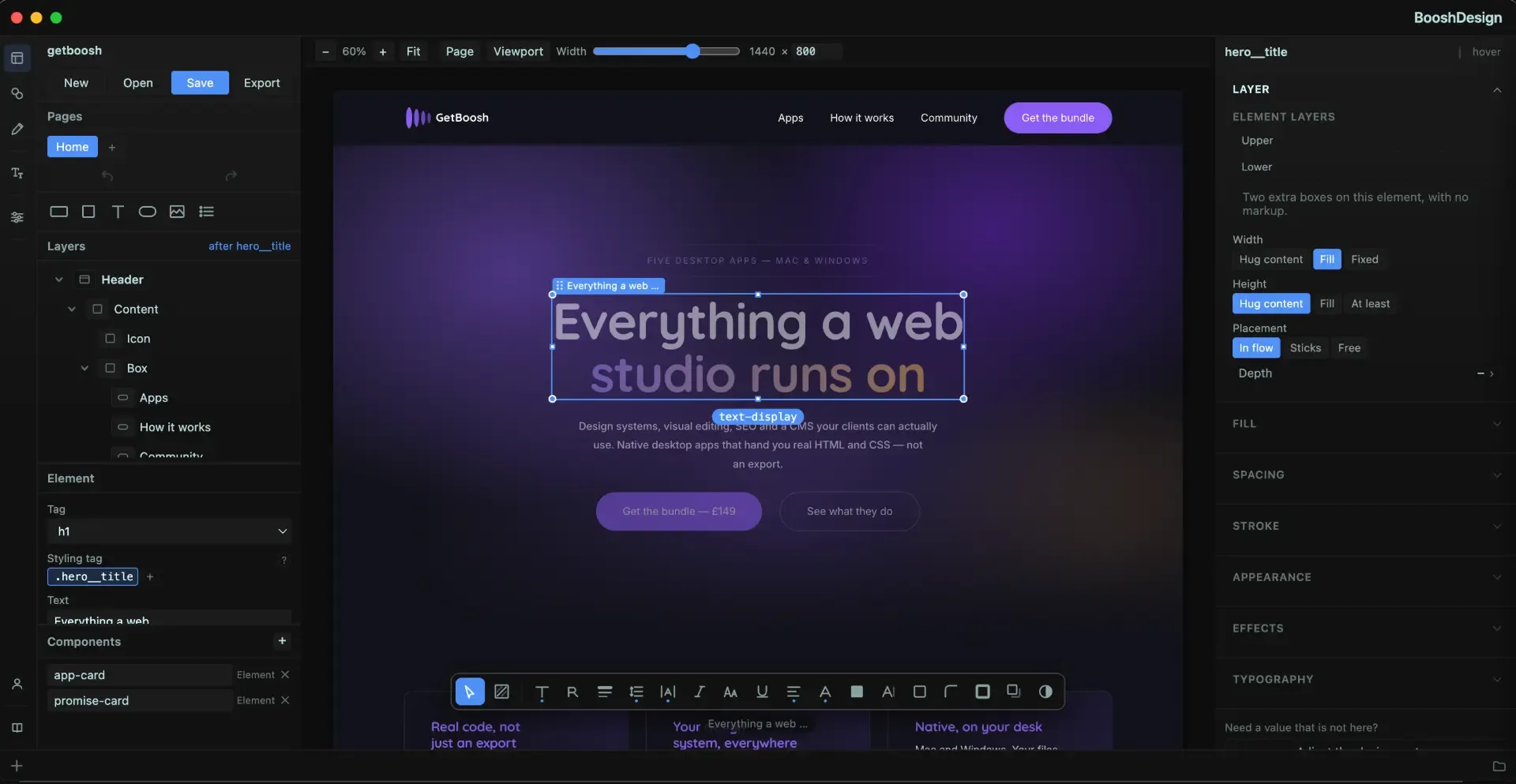
What you are looking at while you work is a live browser rendering real CSS. There is no internal document model that later has to be translated into markup, which is the step where every other tool loses something.
- Live rendering, not a canvas approximation
- Element layers you can select and reorder
- What you see is the finished page
- No conversion, so nothing to go wrong in it
Constrained by your tokens
Off-system values are not offered, so they cannot happen.
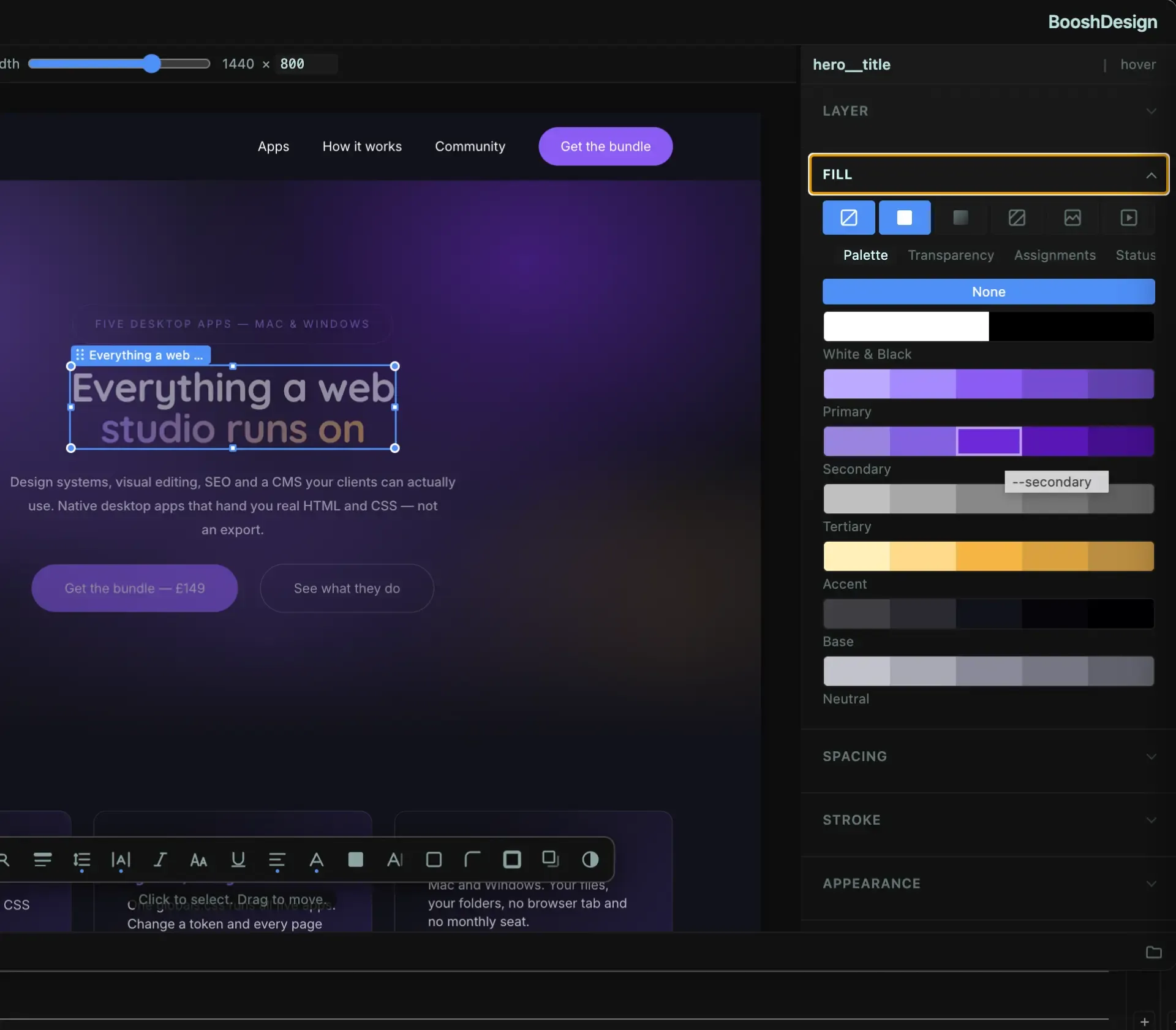
Colour, spacing, type and radius all come from the design system in your globals.css. Constraint at input time rather than validation at export time: the reason the output is always on-system is that an off-system value was never possible to enter.
- Colours picked from your palette, not a wheel
- Spacing and sizing from your scale
- Fonts from the faces the project actually loads
- Add a token and it appears in every picker
Layout, sizing and position
Flex and grid, handled as flex and grid.
Containers are laid out with the CSS you would have written by hand: real flex and grid, with the gaps coming from your spacing scale. Elements are sized and positioned in the same terms, so the panel and the stylesheet always agree.
- Lay out a container with flex or grid
- Size elements in your own units
- Position and stack with element layers
- Container query contexts where you need them
Type, colour and effects
The interesting parts, still on-system.
Set type from your scale, colour from your palette, and add gradients, shadows and blurs that reference tokens rather than raw values. A change to the token reaches every element that used it, because that is what the element actually references.
- Typography from your fluid scale
- Gradients and shadows built from palette tokens
- Hover, focus and active states drawn visually
- Blurs and backdrop effects, without leaving the canvas
Draw the graphics as well
A vector editor, in the same window.
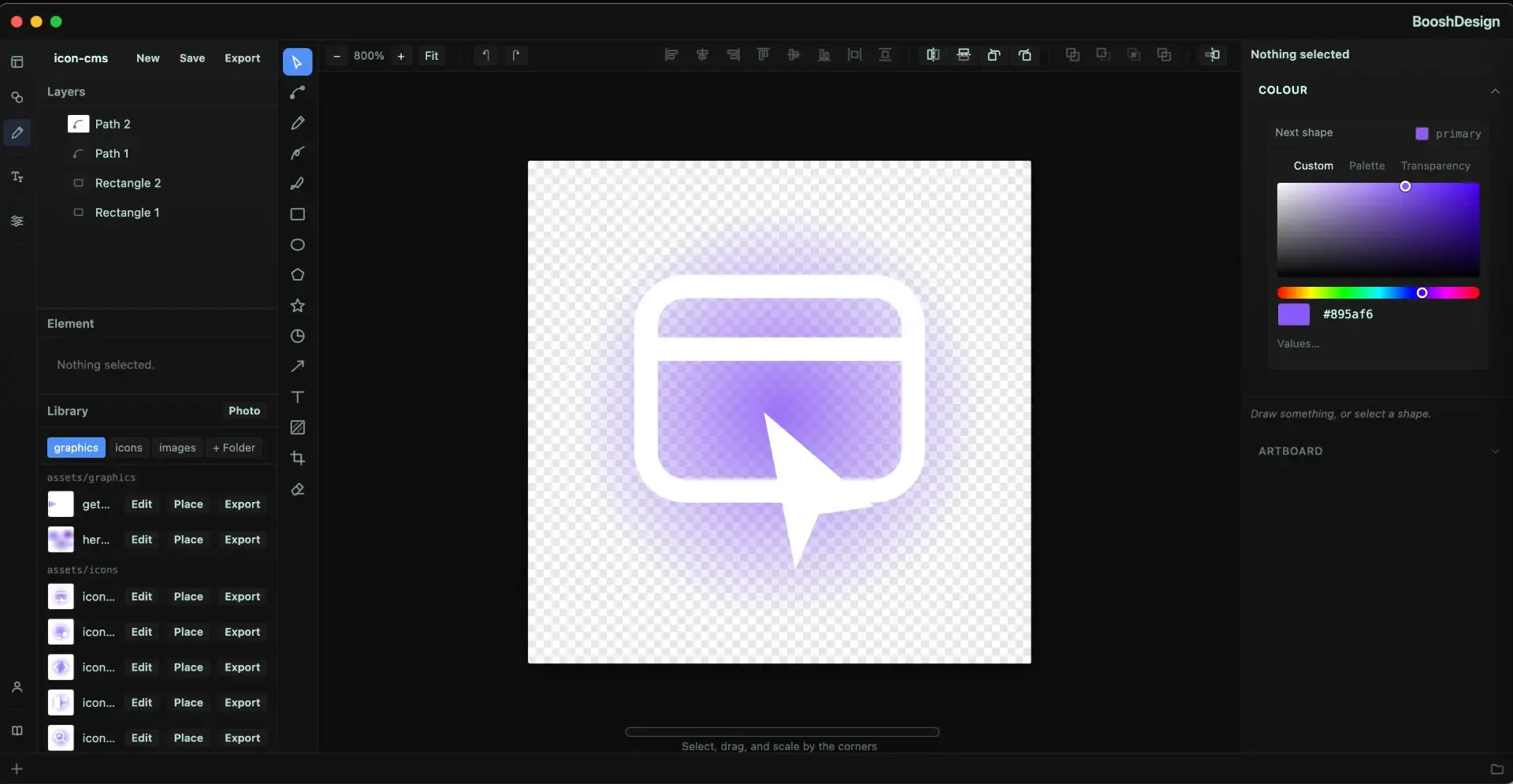
Icons, logos and illustrations are drawn on their own artboard with pen, shape and text tools, then placed straight onto the page. The colours come from the same palette the rest of the design uses, so an icon cannot drift off-system either.
- Pen, shape, star and arrow tools with full layer control
- An asset library for graphics, icons and images
- Palette colours in the vector editor too
- Place onto the page, or export the file
Components and projects
Draw it once, use it everywhere.
A component is a real folder with its own markup and its own stylesheet, drawn once and reused across pages. Change the component and every page carrying it follows, because they are all pointing at the same files.
- Components in their own folders, with scoped CSS
- Reuse across every page in the project
- Projects hold their own globals.css
- Keyboard shortcuts throughout
What comes out
BEM HTML, real CSS, and a components folder.
The output is BEM-named HTML, selector-specific CSS, your globals.css and a components folder, opened directly by FEWD Studio with nothing in between. It was already valid CSS while you were drawing it; saving simply writes it down.
- BEM class names, generated consistently
- Selector-specific CSS, no utility soup
- Your globals.css, unchanged and still yours
- Opens in FEWD Studio with no export step
Ready to try BooshDESIGN?
Join now at the EarlyBird rate of £24.99/year and it is locked in for life: the price never goes up for you while you stay subscribed. It runs on your own machine, with your data in a file you can open.